Introducing a New Editing Feature: Erase Specific Parts of Your Image! ✨
🔎 Perfect for you if:
"I love this image, but I wish I could remove just this one unnecessary object!"
"I'd rather erase text that didn't turn out right!"
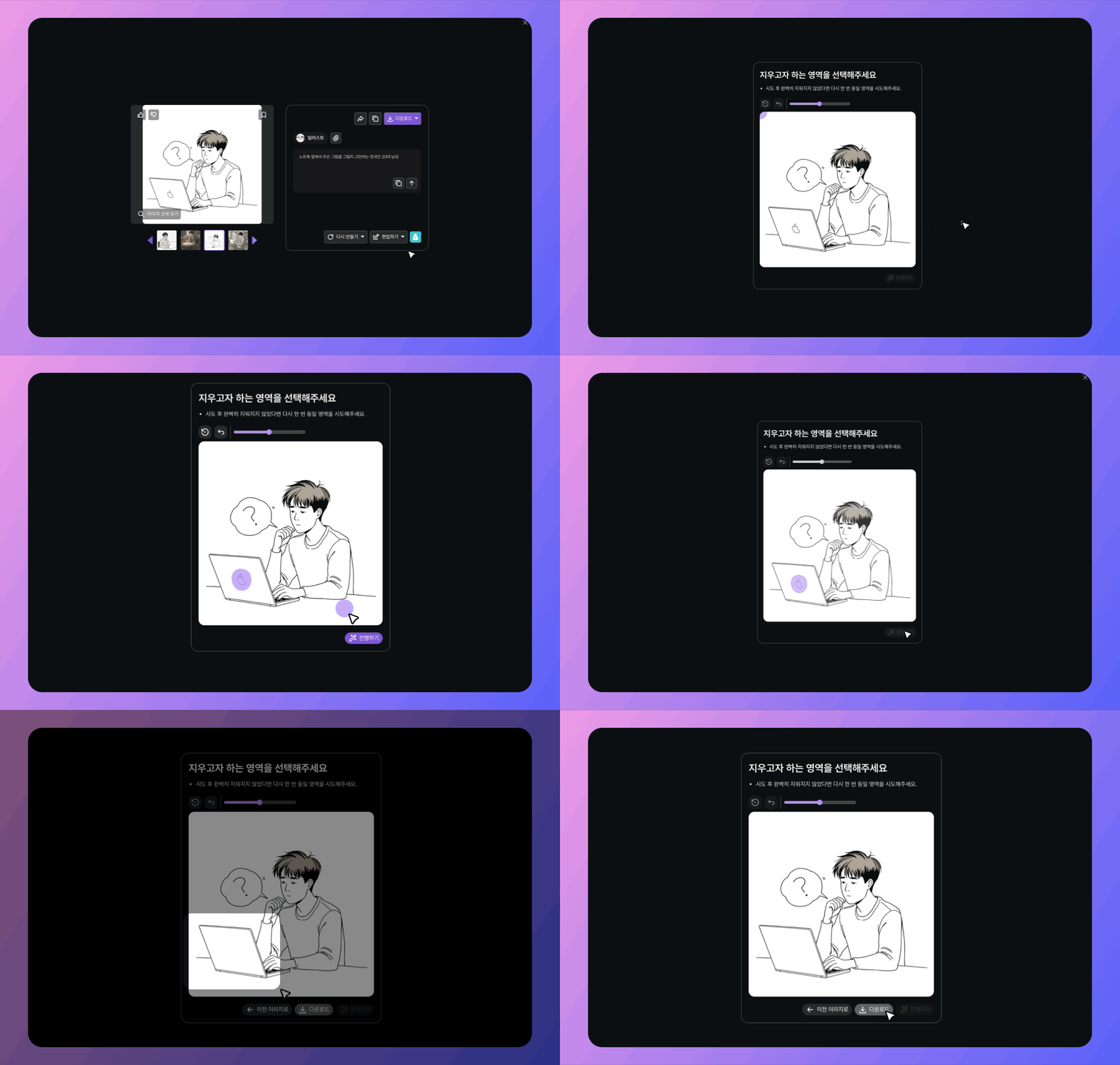
How to Use:
Click [Edit] > [Erase Part].
Paint over the area you want to erase. You can adjust the eraser brush size.
Click [Proceed].
Wait 10–20 seconds to see the result with the selected part erased.
Tip:
If the area isn't erased properly, paint over it again and retry! The success rate increases significantly on the second attempt.